
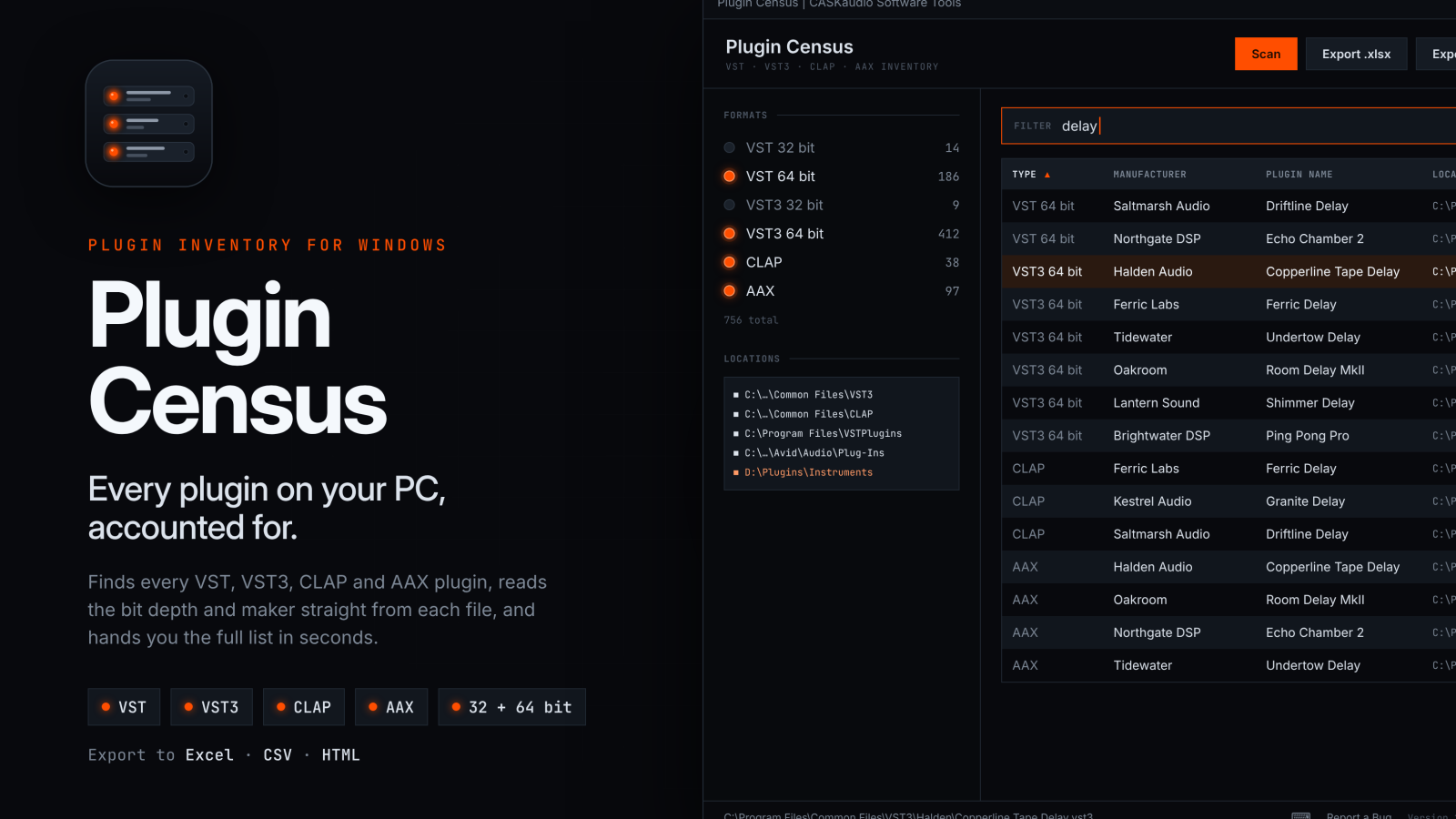
I have thousands of plugins installed on my computer — and yes, I don’t use half of them. This is why I built Plugin Census. It scans every plugin on your system, including VST, VST3, AAX and CLAP formats, and produces a complete report of everything you have installed. It’s invaluable when setting up a new system, and just as useful for backing up your plugin list every now and then in case of computer failure!
GET IT AT ITCH.IO FOR ONLY $19 (AUD)
Most producers have no idea exactly what’s installed on their system. Years of bundles, demos, updates and half-finished installers leave plugins scattered across a dozen folders, some 32-bit, some 64-bit, some duplicated, some forgotten entirely.
Plugin Census sorts that out. Press F5 and it walks every standard plugin location on your PC, plus the folders your DAWs have registered and any you add yourself. It reads each binary directly to work out its format, its bit depth and who made it.
The result is a clean, sortable list you can filter as you type. You can hide formats you don’t care about and jump straight to any plugin in Explorer. When you’re done, export it as a tidy Excel spreadsheet (XLSX) with or as a plain CSV for anything else.
Use it to:
- Take stock before moving to a new computer
- Track down leftover 32-bit plugins
- Check what a collaborator needs to open a session
- Keep a record of what you own for insurance purposes
- Finally answer the question “do I already have that?”
Features
- Finds VST 32 bit, VST 64 bit, VST3 32 bit, VST3 64 bit, CLAP and AAX plugins
- Bit depth read from the plugin file itself, so a plugin is labelled correctly even if it’s sitting in the wrong folder
- Manufacturer names pulled from each plugin’s built-in details
- Skips the helper DLLs that clutter VST folders and only lists genuine plugins
- Scans the standard Windows plugin folders, the paths your DAWs have registered and any custom folders you choose
- Live filter by plugin name, manufacturer, format or path
- Export to Excel (.xlsx) with a summary sheet, ready to print
- Export to CSV for databases, other spreadsheets or scripts
- Show any plugin in Explorer, or copy paths and rows to the clipboard
- Keyboard shortcuts throughout, with a reference panel built in (F1)
- Command-line export for scripted or scheduled inventories
- Portable single-file app with no installer, and it remembers your folders and settings between sessions
- Dark, low-glare interface designed to sit comfortably alongside your DAW
Safe by design
Plugin Census never loads or runs your plugins. It only reads information from each file, so a misbehaving plugin can’t crash it or affect your system.
Designed and programmed by a human! (or at least I am fairly certain I am)
System requirements
- Windows 10 or Windows 11
- 64-bit Windows recommended; 32-bit plugins are still detected and listed